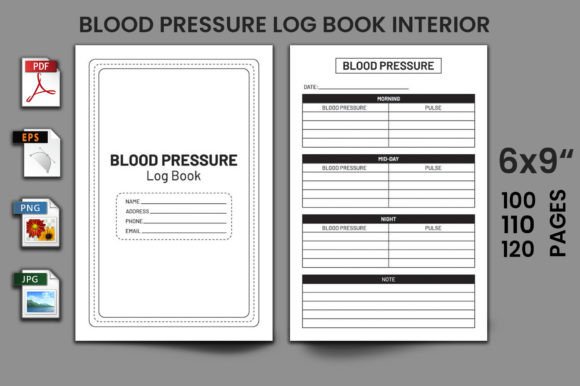
Blood Pressure Log Book KDP Interior: A Practical Asset for Self-Publishing Workflows
For self-publishing entrepreneurs on Amazon KDP, efficiency and scalability are key. The process involves more than just writing; it requires designing professional interiors, ensuring print-ready quality, and managing a portfolio of titles. Within this workflow, a specialized asset like the Blood Pressure Log Book KDP Interior serves as a foundational tool, enabling creators to rapidly deploy a market-ready product without starting from scratch.
Understanding the KDP Interior Asset
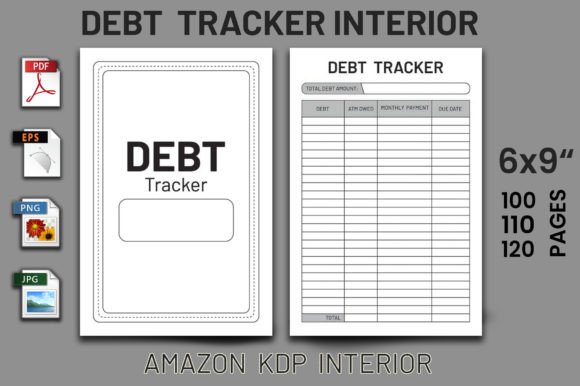
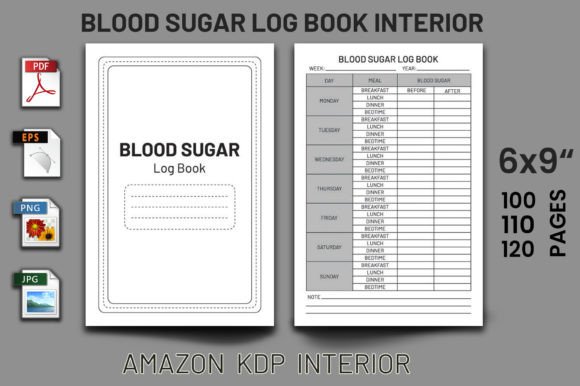
The Blood Pressure Log Book KDP Interior is not a physical book but a digital, print-ready file package. It is designed specifically for the Amazon Kindle Direct Publishing platform. This package includes a fully formatted interior for a health-tracking journal, pre-set to standard trim sizes like 6"x9". The core offering is a vector-based, editable PDF, which means the design is built using mathematical paths rather than fixed pixels. This allows for resizing without loss of quality and easy customization in software like Adobe Illustrator. Additional file formats such as EPS, PNG, and JPG provide flexibility for different editing preferences or uses.
The value of this interior lies in its tested readiness. It has been validated against KDP's upload requirements, ensuring no bleed (where images extend beyond the page edge) and proper formatting across 100, 110, or 120-page counts. For a publisher, this translates to a significant reduction in technical risk and time investment. Instead of navigating complex layout software or worrying about print errors, you acquire a component that slots directly into the final stages of your publishing process.
Integration into a Publishing Workflow
Integrating a pre-designed KDP interior fits naturally into a broader Low Content or No Content book business model. This model focuses on journals, planners, logbooks, and diaries—products where the structure and design are provided, and the content is primarily user-generated. Here’s how this asset functions within a typical creator's workflow.
Phase 1: Market Research and Selection
Before even acquiring the interior, your process involves identifying a viable niche. Health management, particularly blood pressure tracking, is a perennial topic with a consistent audience. Selecting a Blood Pressure Log Book KDP Interior is a decision made after confirming market demand. This asset then becomes the core product component. It interacts with your business plan, competing titles analysis, and keyword research for the Amazon store.
Phase 2: Customization and Branding
Upon purchase, the work moves to customization. The editable vector files are key here. You might use the source files to adjust colors to match your brand palette, modify the header fonts, or add a unique logo on the cover page. This step is where the asset interacts with your other design resources and brand assets. The goal is not to overhaul the professionally formatted log, but to impart enough uniqueness to distinguish your version in the marketplace. The process is practical: open the EPS file in your design software, make targeted adjustments, and export a new print-ready PDF.
Phase 3: Quality Control and Upload
Because the interior is pre-tested on KDP, your quality control phase is streamlined. Your focus shifts to verifying your customizations haven't introduced errors. You check page count consistency, ensure all text is clear, and confirm the file meets KDP's PDF specifications. This interacts directly with KDP's upload interface. Having a reliable base interior minimizes last-minute fixes and rejected uploads, contributing directly to workflow efficiency and consistency across multiple titles if you scale.
Phase 4: Listing and Launch
The final formatted interior is now paired with a cover design—another component of your workflow, possibly created using a separate service or tool. The complete book package is uploaded, and you proceed to create the Amazon listing. Here, the professional interior supports your product's perceived value. High-quality, clean layouts enhance customer trust and reviews, which are critical for long-term success in the KDP ecosystem.
Practical Implementation Tips for Creators
To use this asset effectively, a process-oriented approach is beneficial.
First, organize your digital workspace. Keep the original source files in a dedicated project folder alongside any fonts or logos you plan to use. Before editing, review the included file formats. Use the EPS or AI files for major structural changes in a vector program. Use the PDF for minor text edits if your software supports PDF manipulation. For most users, the PDF itself, being vector-based, can be resized in tools like Adobe Acrobat Pro to other common trim sizes (like 8.5"x11") if needed, though verifying new page margins is crucial.
Second, maintain a checklist for pre-upload verification. Even with a tested interior, your customizations require checking:
- Page Order: Ensure no pages are misplaced or missing after your edits.
- Font Embedding: All fonts should be embedded in the final PDF to prevent display issues.
- Image Resolution: Any added images must be high-resolution (typically 300 DPI).
- Trim Size Consistency: The entire document must match the trim size declared on KDP.
Third, consider batch processing. If you manage multiple log books or journals, using this Blood Pressure Log Book interior as a template can standardize your output. You can create variations for different health metrics (like glucose or weight logs) by systematically changing headings, section names, and color schemes. This leverages the asset for portfolio growth, enhancing overall business organization.
Long-Term Use and Portfolio Development
The usability of a well-designed KDP interior extends beyond a single project. For a publisher focused on the health and wellness niche, this log book interior can serve as a reference template for future projects. Its clean, functional layout demonstrates effective design principles for data-tracking pages: clear input fields for date, time, systolic/diastolic readings, pulse, and notes.
Observing how this interior organizes information can inform your own designs for other products. Furthermore, the vector format ensures long-term compatibility. As design software updates, vector files generally remain more adaptable than raster-based images, protecting your investment. This contributes to sustainable workflow where initial assets continue to provide value, reducing the need to repeatedly purchase new interiors for similar products.
Finally, integrating such assets smoothly into your routine involves viewing them as components, not finished products. Your creative and business processes—market analysis, branding, quality assurance, and marketing—wrap around this component. The Blood Pressure Log Book KDP Interior becomes a reliable, standardized part of your execution, freeing your focus to scale your catalog, optimize listings, and engage with your audience. This practical approach turns a single digital purchase into a repeatable method for growing your self-publishing business efficiently.